
Skip to content

How it works

FROM FIRST CLICK TO BOOKED CALL.

What happens after someone contacts your business, what the screens look like, and how we hand the system over to you.

01 — The story

What happens after someone reaches out.

  1. 01

    Inquiry

    A customer fills in your website form, books, or calls.

  2. 02

    Lead captured

    Their details are saved — nothing lost in an inbox.

  3. 03

    CRM record

    A record is created with source, service, and stage.

  4. 04

    Acknowledgment

    An approved confirmation goes out, where consent and law allow.

  5. 05

    Qualify & follow up

    A few questions and scheduled reminders, within limits you set.

  6. 06

    Booked

    An appointment or call lands on the calendar.

  7. 07

    Human takes over

    You or your team step in with the full history in one place.
02 — Sample CRM

What your team would see.

Click a lead, then try the handoff controls. Every name and message is fictional.

Sample CRM · Northline Roofing (fictional concept)Interactive example · Sample data

Pipeline

New (1)

Contacted (1)

Qualified (1)

Booked (1)

Contact
Alex Rivera (sample)
Source
Website quote form
Owner
Automation
Next action
Offer two inspection times

Conversation

  1. Customer · 9:02Hi — noticed a few missing shingles after the storm. Can someone take a look?
  2. Automated (approved template) · 9:02Thanks, Alex — we got your request. A team member will confirm a time shortly. Reply STOP to opt out.
  3. Automated (approved template) · 9:03Quick question so we come prepared: is this a home or a commercial building?
  4. Customer · 9:10Home. Two-story.

Fictional people and messages. Nothing is saved or sent, and no real CRM, phone, or calendar is connected. Automated messages in a real system only go out with consent, opt-out handling, and templates you approve.

More interactive examples

03 — Site + CRM

Your public website and your back office, connected.

Concept build
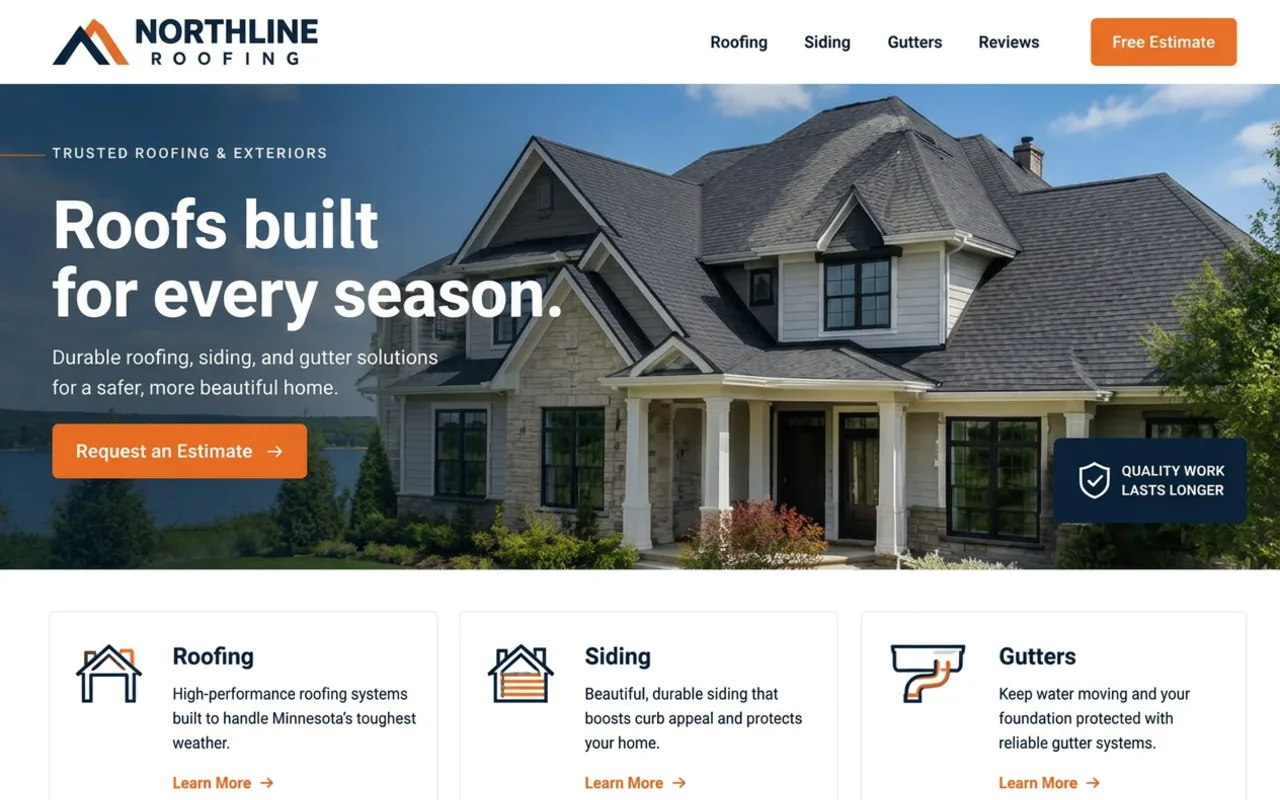
Northline Roofing & Exteriors concept website (fictional Cairnwell concept build)

What customers see: your website — services, proof, and a clear way to request a quote, book, or call.

What your team sees: a private lead list or CRM where every inquiry lands with its source, stage, owner, and next step.

What connects them: forms and booking tools send each inquiry to the CRM, which can trigger approved confirmations and reminders and alert the right person.

The site shown is a fictional concept build. Which CRM and tools we connect depends on what you already use and what those tools support.

See website examples

04 — Onboarding

Working with Cairnwell, step by step.

  1. 01

    Discovery

    A free 20-minute call about your business and goals.

    You provide
    Your goals, current site, tools you use
    We deliver
    Honest read on what you need
  2. 02

    Recommendation

    We suggest the simplest setup that fits.

    You provide
    Answers to a few follow-up questions
    We deliver
    Recommended scope, written plainly
  3. 03

    Proposal

    Fixed quote with scope, timeline, and exclusions.

    You provide
    Approval and deposit
    We deliver
    Proposal, agreement, invoice
  4. 04

    Build & review

    We build; you review on a private preview.

    You provide
    Content, photos, feedback, access to tools
    We deliver
    Website and any agreed workflows, revision rounds
  5. 05

    Launch & training

    We go live and walk you through it.

    You provide
    Domain and account access
    We deliver
    Launch, testing, a recorded or live walkthrough
  6. 06

    Support

    Optional ongoing care with a defined scope.

    You provide
    Change requests
    We deliver
    Updates and monitoring per your plan
Full process

05 — Handoff

Who owns and accesses the system at launch.

The details below are typical. What applies to you is set out in your signed agreement.

Accounts & access
Your domain stays in your name. Where your agreement says so, admin logins for the website, CRM, and tools are set up under accounts you own.
Documentation & training
A short guide to how your system works and a walkthrough so your team can use it day to day.
Third-party subscriptions
Tools like a CRM, email/SMS provider, or scheduler are usually billed to you directly by that provider. We'll list them before you commit.
Ongoing support
Optional. Website Care from $149/month; Automation Management from $399/month. Scope confirmed in your quote. No unlimited plans.
What Cairnwell keeps
Our reusable components, tools, and know-how. Exact ownership is defined in your signed agreement.

06 — AI & oversight

Automation helps. People stay in charge.

  • AI and automated replies follow scripts and rules you approve — they don't make promises, quote prices, or give advice outside them.
  • Anything unusual, sensitive, or high-value is routed to a person.
  • You can pause automation for any lead and take over at any time.
  • Messaging requires customer consent, opt-out handling, and the sending platform's rules.
  • AI can be wrong. We test it, set guardrails, and keep a human in the loop.

We don't guarantee leads, bookings, rankings, or revenue. Results depend on your business, your market, and how your team responds.

Your website can do more.

Let's build a digital presence that looks professional, captures opportunities, and gives your business a better system for what happens next.

Get a Free Website Review Start a Project

Most projects start with a short conversation about your goals.

Get a Free Review